We are excited to launch the new M-Pesa Wallet Withdrawal feature! Starting today, you can instantly withdraw your KESR from your Remitano Wallet directly to your M-Pesa account, no bank account required.
Why you'll love it
- 100% Protected Cashouts: Remitano guarantees you will always receive 100% of your KESR when using the M-Pesa Withdrawal feature inside your Remitano Wallet. If a transaction is reversed, Remitano will step in and fully compensate you.
- No Bank Account Needed: Forget complicated bank details! All you need is your registered M-Pesa phone number to receive your funds directly into your mobile wallet.
- Fast Payouts: No more waiting for slow bank clearings. Your M-Pesa withdrawals are processed in minutes, getting your cash to you when you need it.
- Lower Fees: Keep more of your Shillings. Enjoy much lower and more transparent fees compared to traditional bank transfers.
How to withdraw with M-Pesa on Remitano
Step 1:
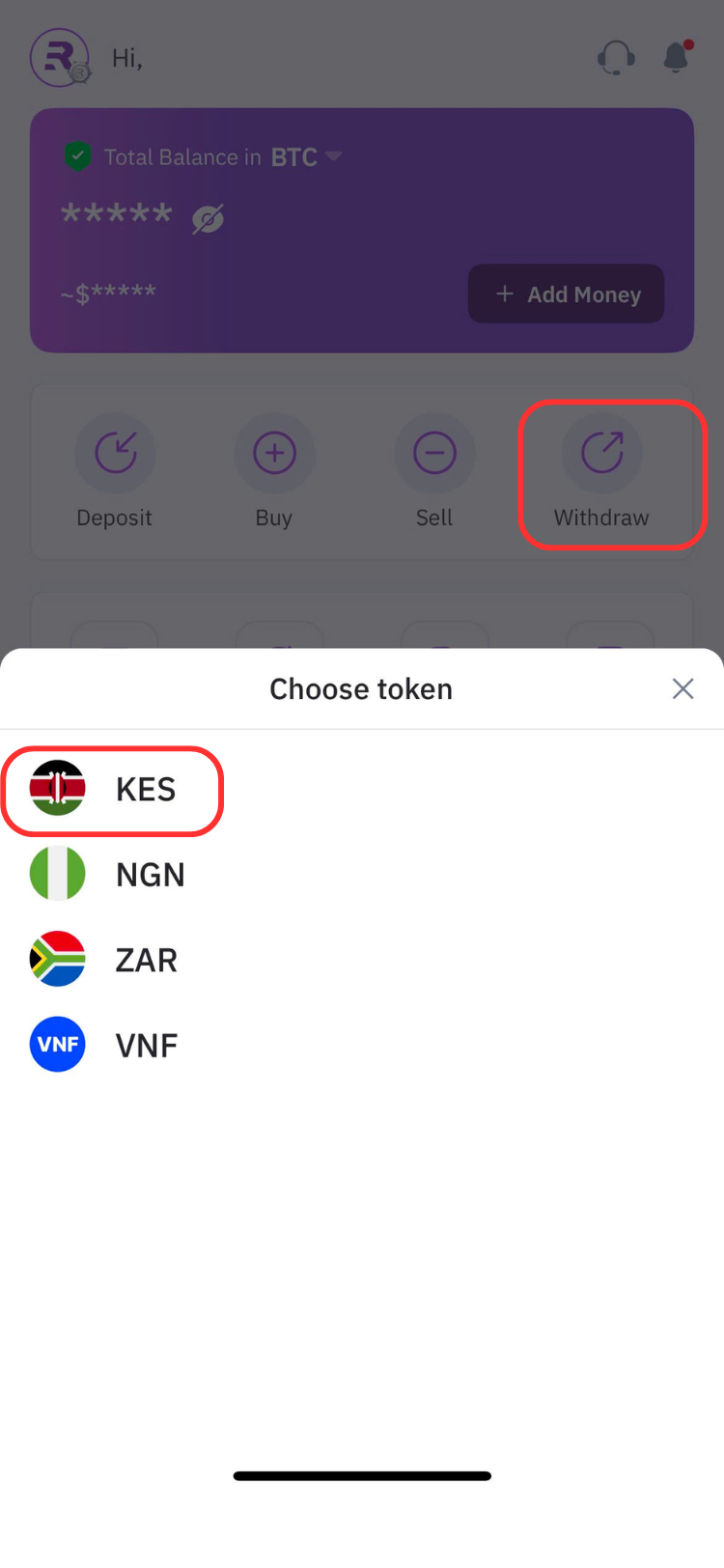
At homepage, select Withdraw -> Fiat -> Choose KES token
Step 2:
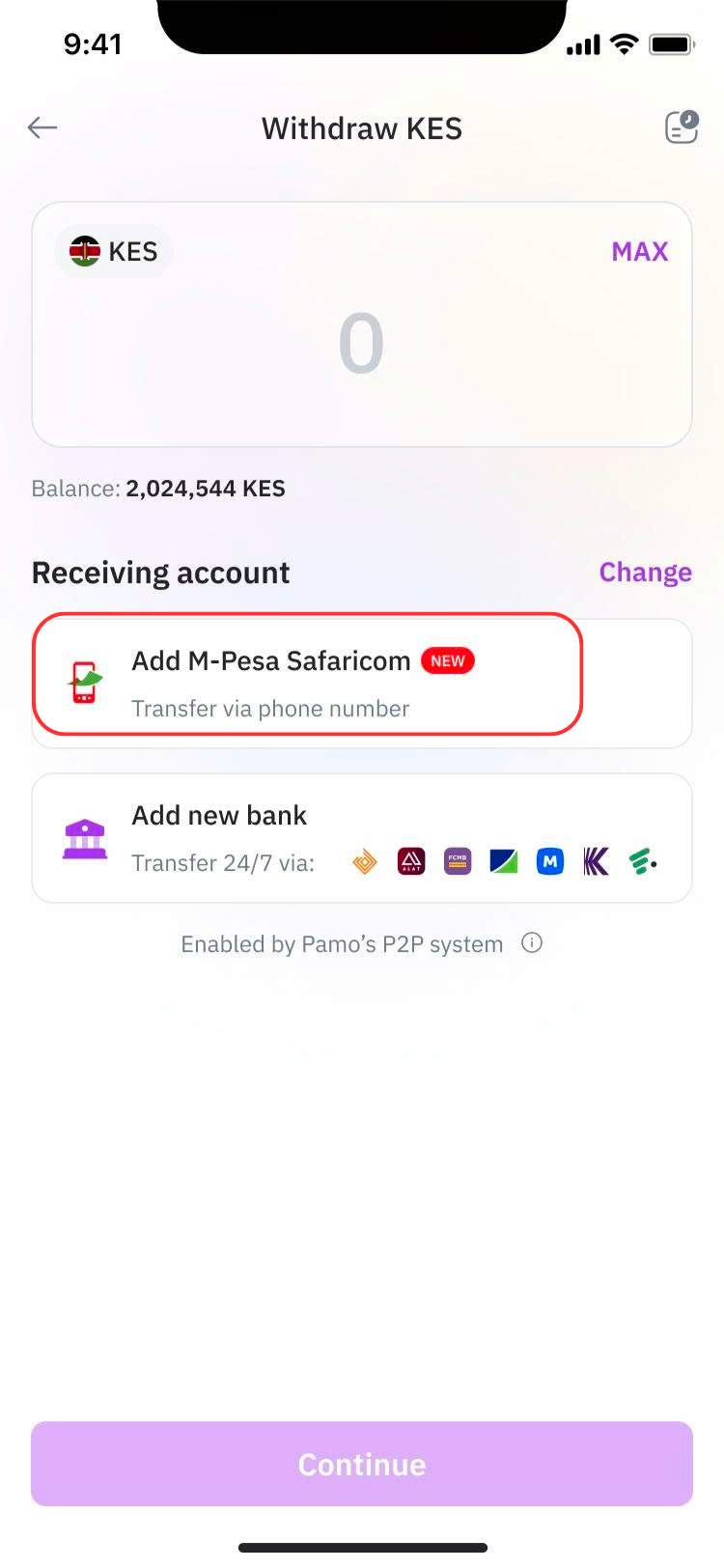
Add your M-Pesa account by select Add M-pesa Safaricom. If you have already add your M-pesa account, you can skip this step.
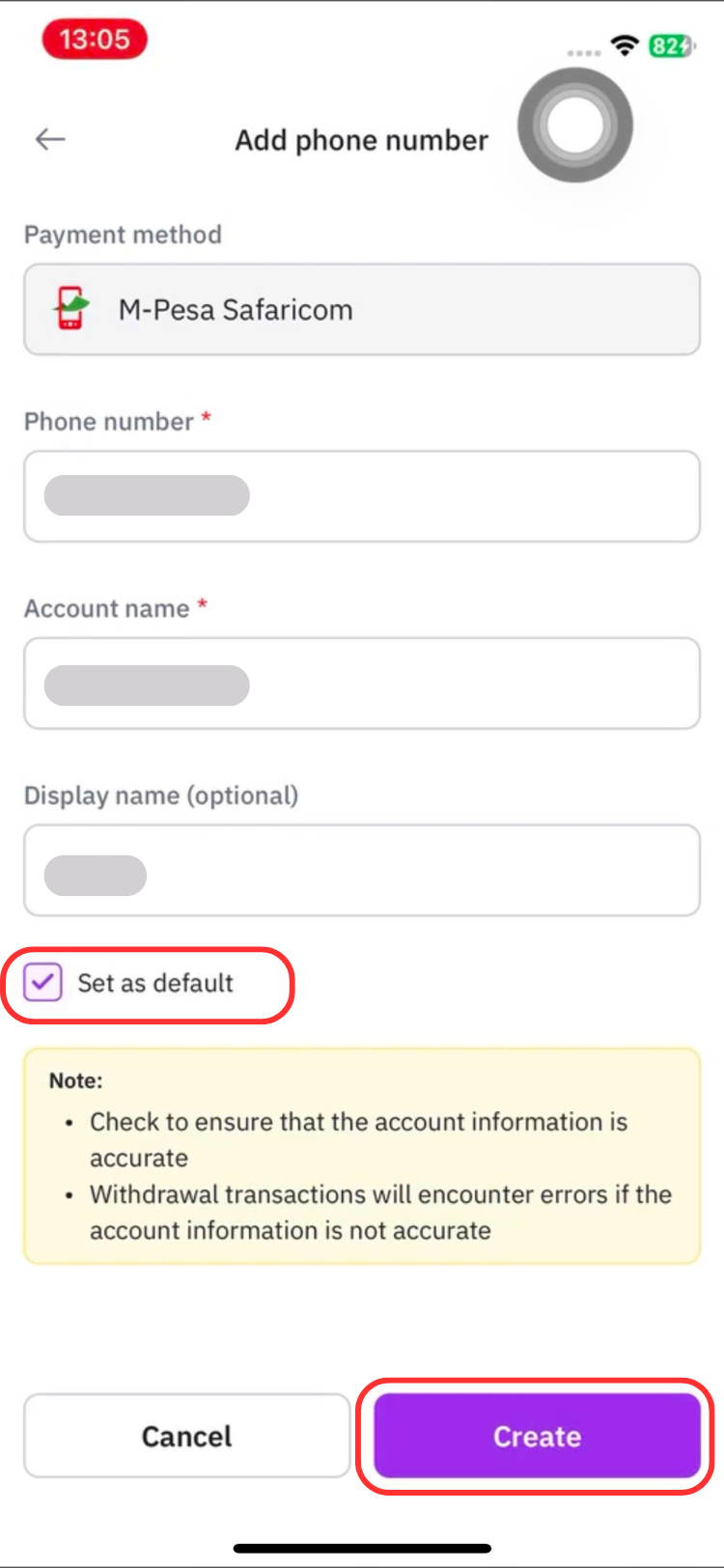
Enter the following details: Phone number linked to your M-Pesa account; Account name; Display name
You can also enable Set as default if you'd like to use this account for future withdrawals.
Tap Create to continue.
Step 3:
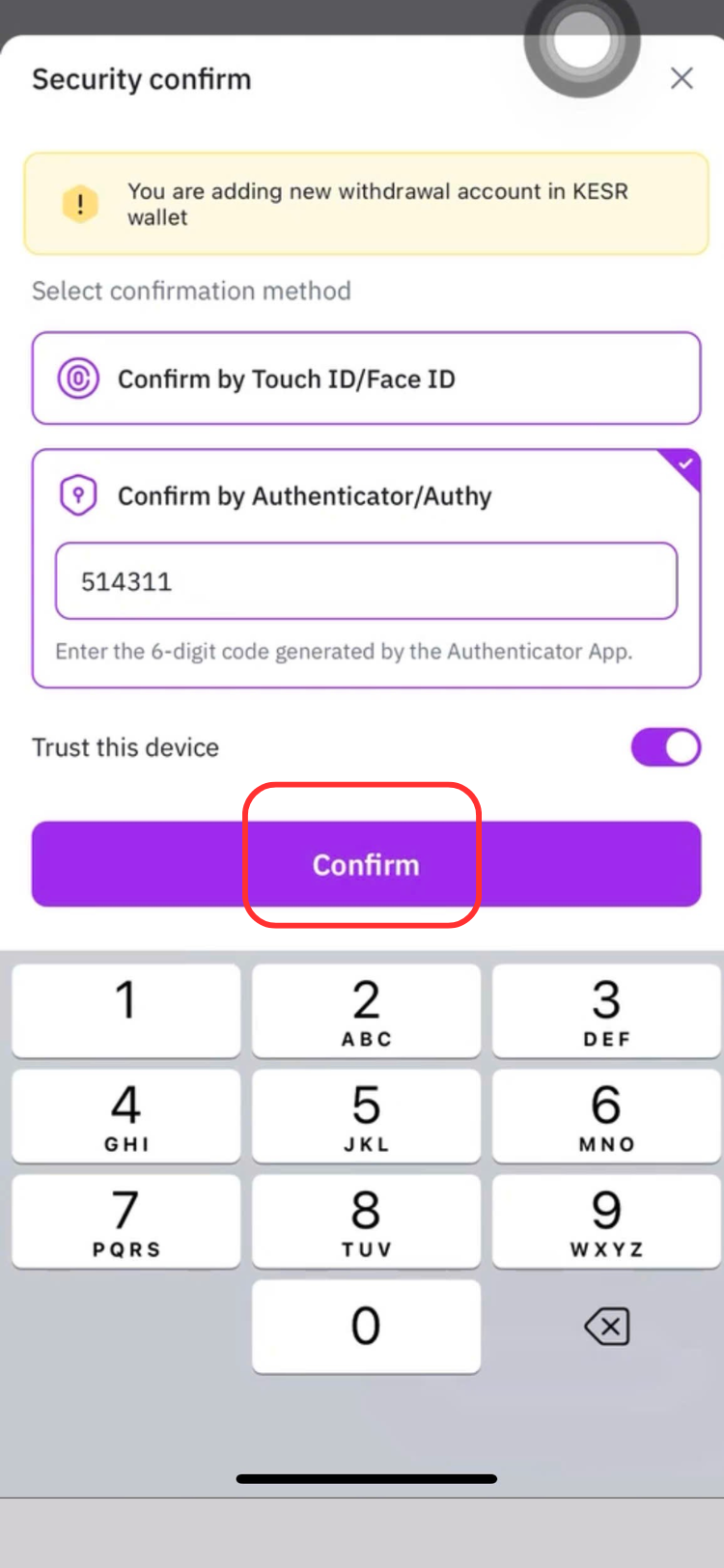
2 Factor verify confirm
Confirm your M-pesa account adding by using Touch ID/ Face ID or entering Authenticator code. Then tap Confirm.
Step 4:
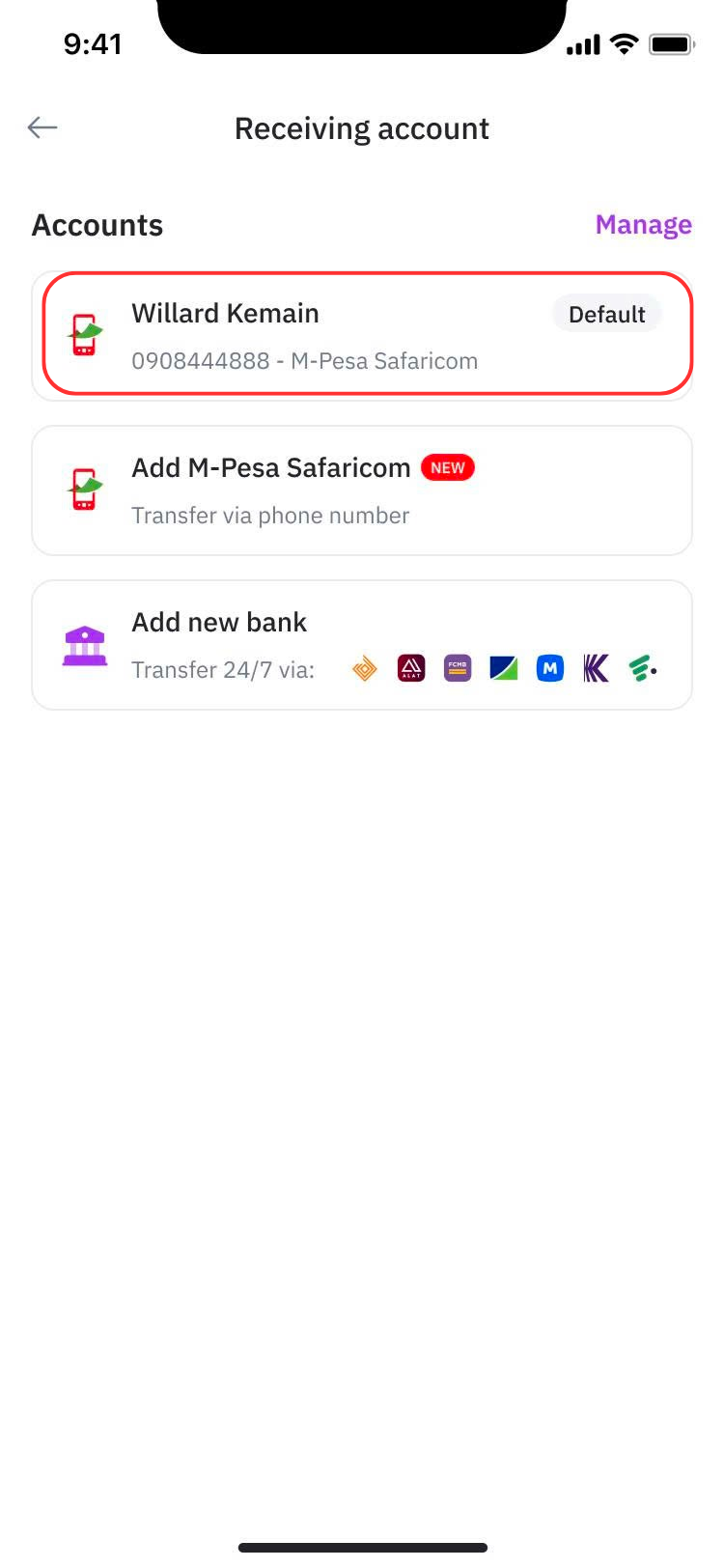
Withdraw with your M-Pesa account
After saving, your M-Pesa account will appear under the Receiving account list
Select it to use for your withdrawal.
Step 5:
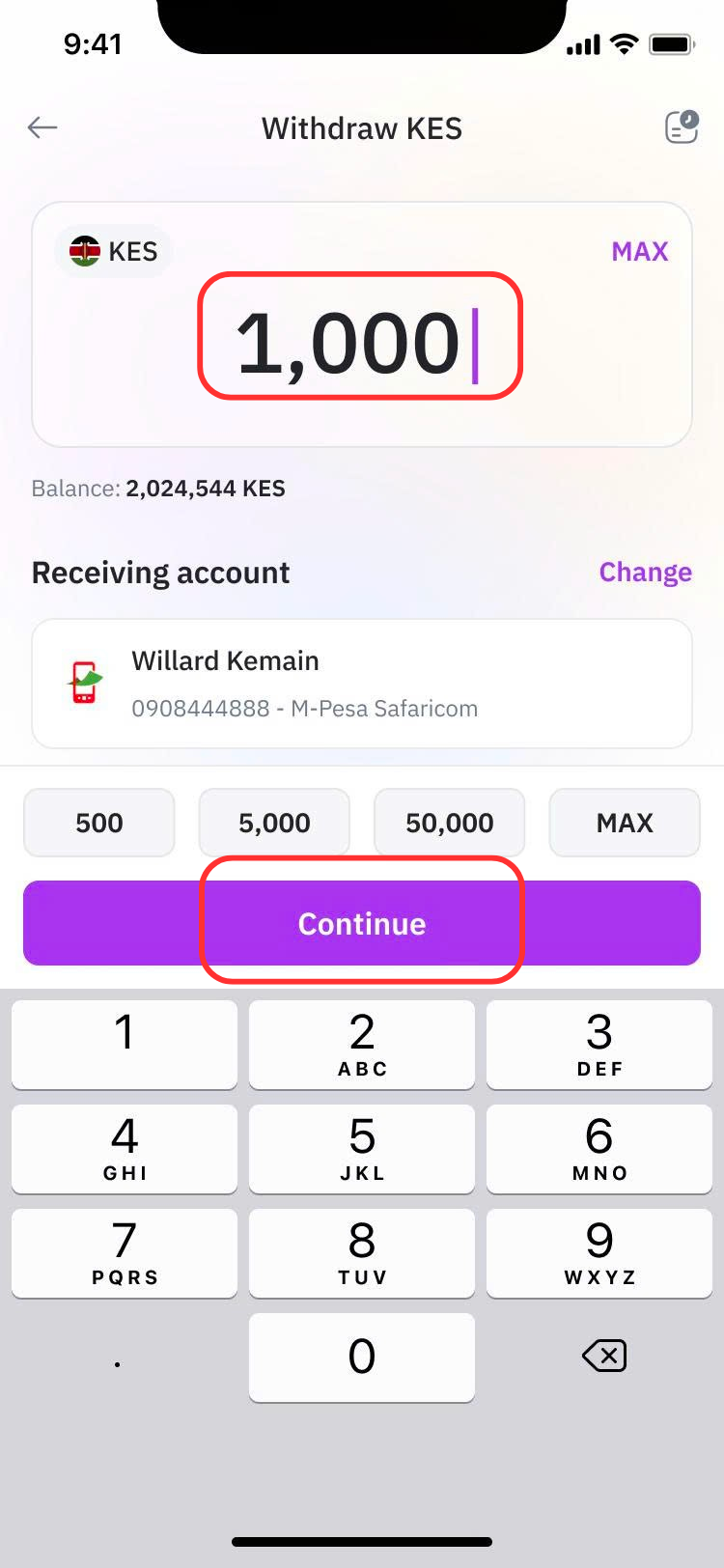
Withdrawal with M-pesa
Input the amount of KESR you'd like to withdraw. You can also use the quick amount buttons or tap MAX to withdraw your available balance.
Tap Continue.
Step 6:
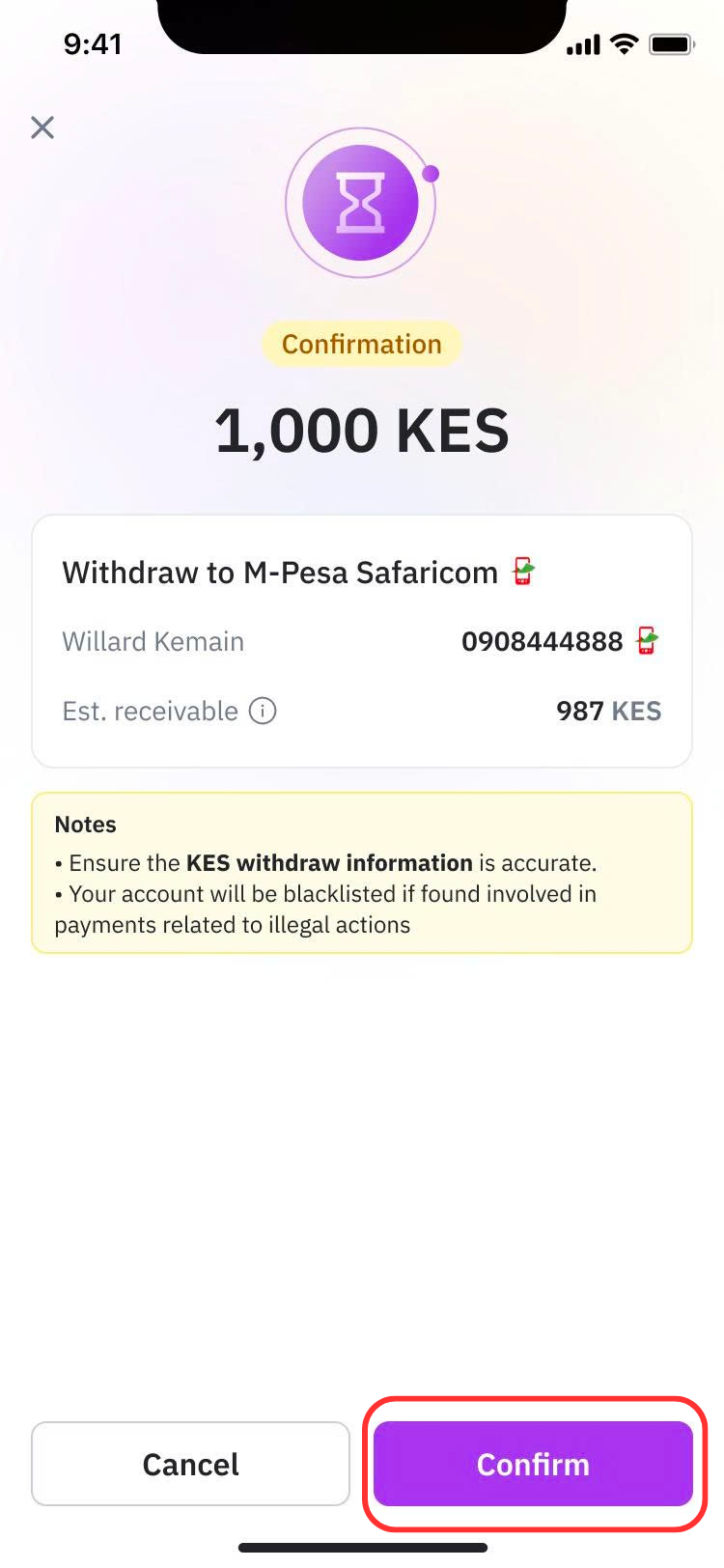
Review your withdrawal
Carefully review the transaction details, including: Withdrawal amount; M-Pesa account; Estimated receivable amount; Transaction fee
If everything looks correct, tap Confirm.
Step 7:
Receive your money
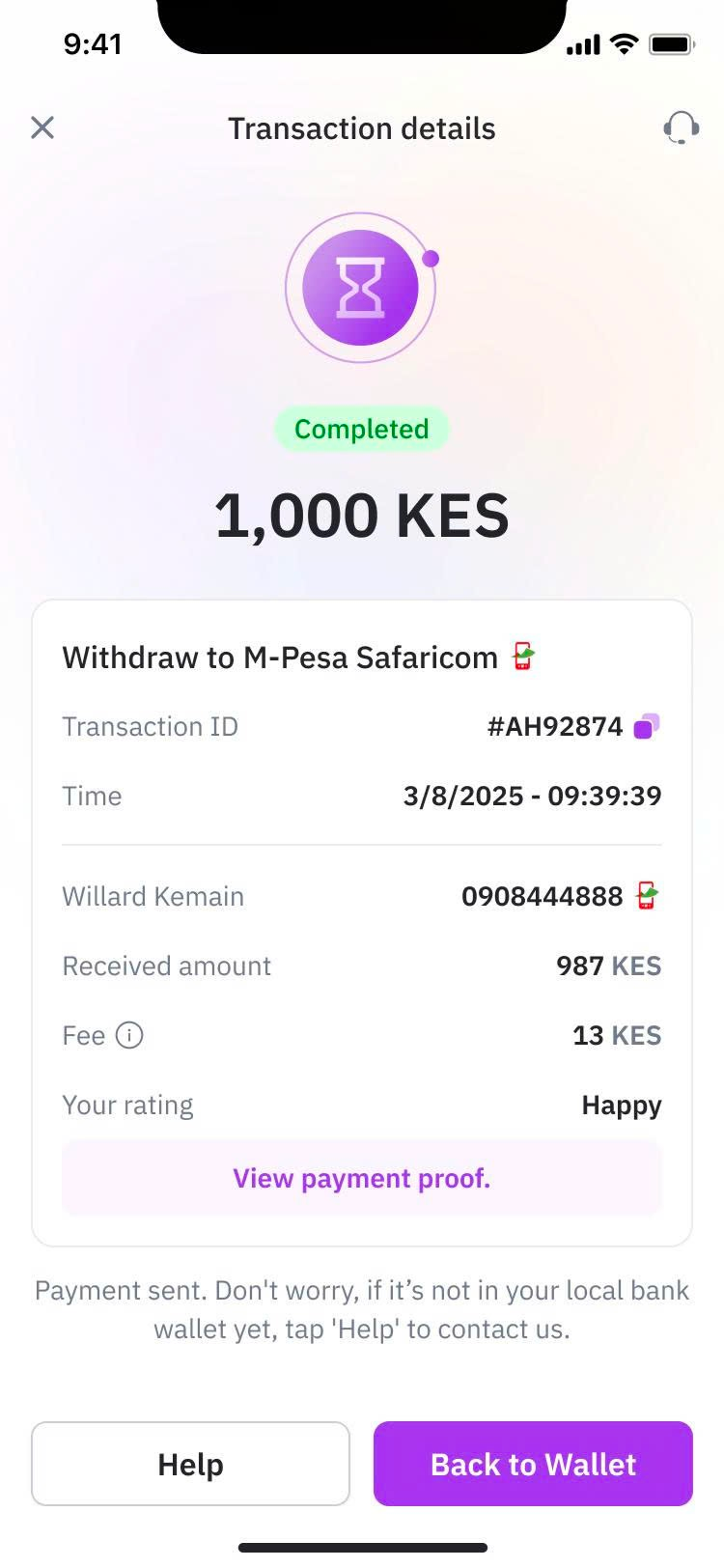
Once your withdrawal is processed, you'll see the transaction status as Completed. Your KESR will be sent directly to your registered M-Pesa account.
You can also: View your transaction ID; Check the fee paid; Download your payment proof; Contact Support if needed.
Start using M-Pesa on Remitano today and experience a faster, safer way to trade crypto. If you need any assistance, our Support Team is always here to help.